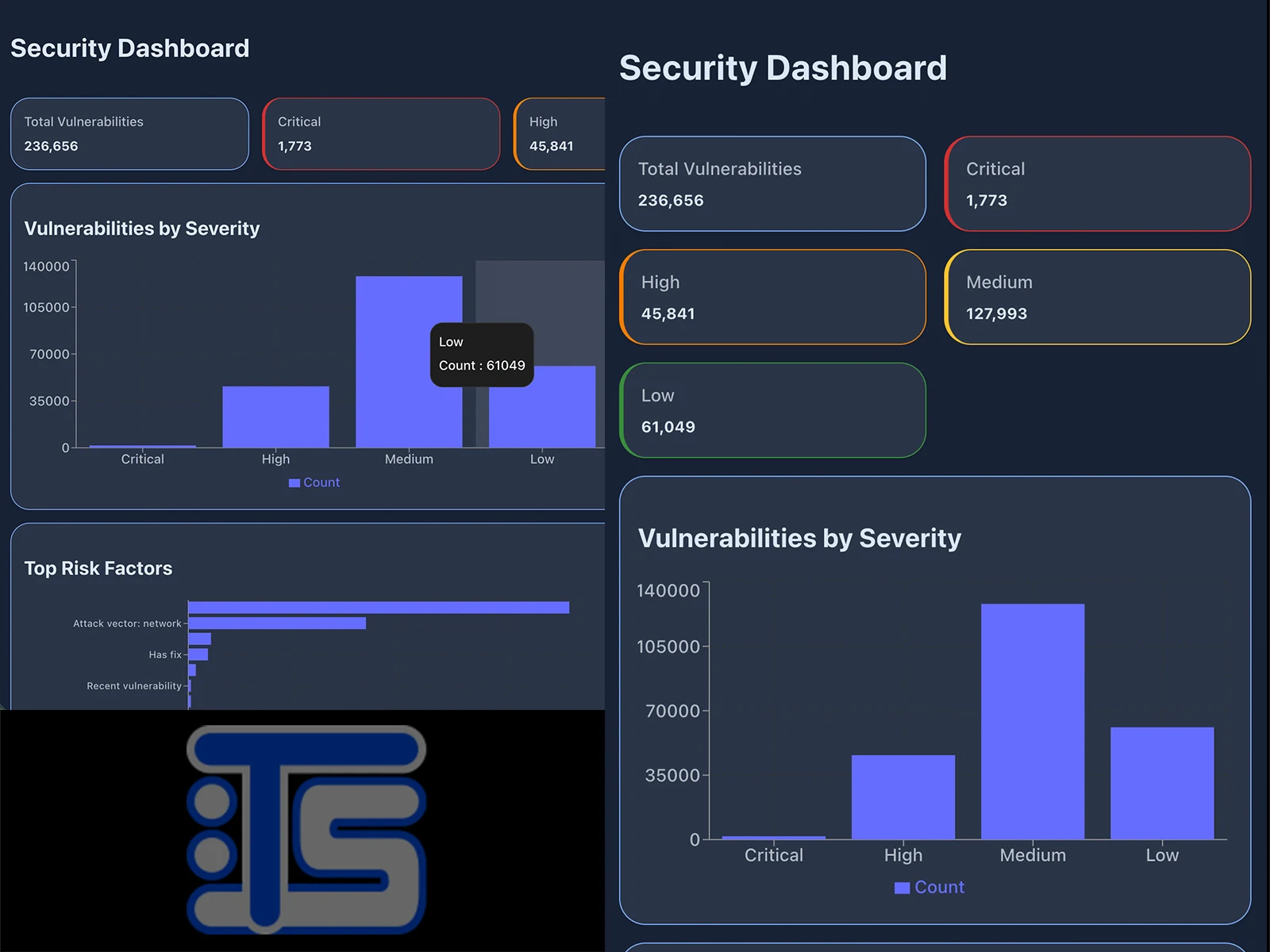
UX case study for Cybersecurity Dashboard
How I designed the experience for this vulnerability dashboard at massive scale (300MB+ datasets), for analysts and repeatable reviews—without sacrificing severity clarity or perceived performance.
Context
The product is a React and TypeScript dashboard for security findings: preprocessed shard data, lightweight summaries on first paint, and progressive loading. It is not just a list—it is scannable severity, analysis modes (full set versus actionable or high-confidence findings), export of the filtered view, and detail views that can resolve records across shards when they are not already in memory.
Problem
Generic dashboard patterns often optimize for density and surface speed. With hundreds of thousands or millions of findings, that creates noise: overwhelming lists, opaque filters, and a sluggish feel even when data is technically loaded. People need severity-first hierarchy, view modes that hide false positives when appropriate, search with suggestions, and loading states that show structure immediately—without blocking the main thread on huge lists.
Users and goals
Auditors, remediation-focused engineers, and anyone comparing vulnerabilities side by side. Success looks like this: KPIs and charts from summary and timeline on the first screen; a virtualized list with smooth scrolling; filters synced to the URL for shareable links; JSON, NDJSON, or CSV export of the current filtered set; and detail resolution by ID or CVE even when the record lives in another shard.
Approach
I anchored the UI on a light and dark theme system using CSS variables and responsive typography, color-coded severity for instant recognition, and responsive navigation with a mobile menu. The data layer favors summary and indexes first, on-demand shards, and client-side caching; for the list, react-window virtualization and skeleton cards that mirror real cards—improving perceived speed compared to a spinner alone.
Key UX decisions
Filter mode pills (all findings, analysis, AI analysis) with clear active states and helper copy. Search with autocomplete across titles, IDs, and CVEs, plus keyboard navigation and ARIA roles on suggestions. Filter impact visualization, a quick-preview drawer, and side-by-side comparison. Export with a visible count. An option to emphasize critical findings. Distinct charts—severity distribution, frequent risk factors, monthly trend, and manual versus assisted analysis—with lazy-loaded chart chunks where it helps. The URL is the shareable source of truth and works with the browser back and forward buttons.
Outcome
A system where data density does not wreck readability: large lists render only visible rows (on the order of tens of DOM nodes instead of thousands), the first load feels structured, and dashboard requirements are covered end to end. Lower-level follow-ups remain optional—for example filtering in a worker or field projection—if I add a backend or push scale even further.
Stack and documentation
Built with Vite, React 19, TypeScript, Zustand, TanStack Query, Recharts, modern SCSS, and Zod validation. The repository includes guides for large datasets, requirements, project summary, detailed architecture, and performance notes so themes, patterns, and performance choices stay aligned as the dataset or deployment grows.